- top_notice

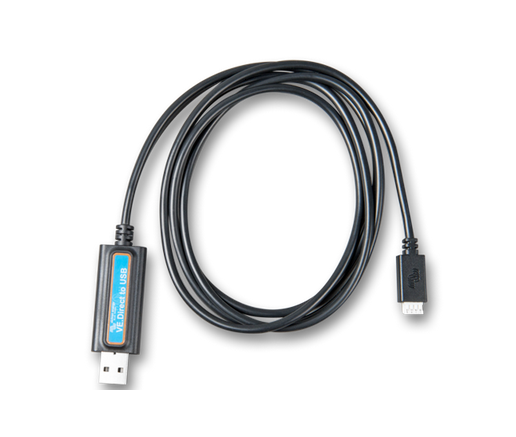
Victron VE.Direct to USB Interface Cable – Monitor and Configure Your Victron Devices with Ease The Victron VE.Direct to USB interface is a powerful and compact communication cable that bridges your Victron device to your computer. Designed to work seamlessly...
The Victron VE.Direct to USB interface is a powerful and compact communication cable that bridges your Victron device to your computer. Designed to work seamlessly with Victron equipment like the BMV battery monitors, MPPT solar charge controllers, and Phoenix inverters, this cable enables real-time data monitoring, firmware updates, and system configuration via a USB connection.
Whether you’re a solar technician, an off-grid homeowner, or an installer managing multiple Victron systems, this simple plug-and-play interface gives you full access to your Victron device's performance data and settings from your laptop or PC.
Monitor solar and battery performance data directly on your computer
Access live readings such as voltage, current, wattage, and more
Update device firmware for improved functionality
Change system settings like load output thresholds and battery charge profiles
Troubleshoot performance issues remotely or onsite
BMV Battery Monitors (BMV-700, BMV-702, BMV-712)
SmartSolar and BlueSolar MPPT Charge Controllers with VE.Direct ports
Phoenix Inverters
Other Victron products with VE.Direct communication ports
| Feature | Description |
|---|---|
| Interface Type | VE.Direct to USB |
| Operating System | Compatible with Windows, macOS, Linux |
| Cable Length | Typically 1.8 meters |
| Connector Type | USB Type-A to VE.Direct (proprietary 4-pin connector) |
| Software | VictronConnect, VE.Power Setup Tools |
| Power Supply | USB powered, no external power needed |
| Use Case | Configuration, Monitoring, Firmware Updates |
Using the VE.Direct to USB cable is simple:
Connect the VE.Direct end to your Victron device
Plug the USB side into your computer
Launch VictronConnect or VE.Configure
Instantly access data, update firmware, or adjust settings
It is ideal for workshop environments, off-grid installations, mobile solar systems, or anywhere USB access to Victron hardware is required.
Click the thumbnail above to see how the VE.Direct to USB interface works in real-time with Victron devices. Learn how installers and system owners use it to fine-tune and monitor system performance.
100 percent authentic Victron accessories guaranteed
Backed by technical support from experienced solar experts
Nationwide delivery across Kenya
Mwanga offers pre-sale advice and after-sale guidance for your entire solar setup
Trusted by hundreds of solar professionals, NGOs, and homeowners
At Mwanga, we don’t just sell solar—we help you build smarter, more efficient energy systems with the right tools.


